

If you’ve just bought a Toyota Innova Crysta or are driving one for the first time, you might find yourself staring at the dashboard wondering exactly what to do. Don’t worry -you’re not alone. The Innova Crysta comes in multiple variants with different starting systems, which can confuse even experienced drivers switching from another car.
In this guide, we’ll walk you through everything you need to know about how to start a Toyota Innova Crysta , whether your variant uses a traditional key, a push-button start, or a fully keyless smart entry system. We’ll also cover common reasons why your Innova might not start and how to fix them quickly.
Let’s get started.
What You Need to Know Before Starting the Innova Crysta
The Toyota Innova Crysta is available in several trim levels in India ,G, GX, VX, and ZX. Depending on the variant you own, the starting method will be different:
- G and GX variants – Use a traditional key ignition
- VX and ZX variants – Come equipped with a smart key and push-button ENGINE START/STOP
- Fully Keyless variants (top-spec ZX) – Feature Smart Entry, meaning you don’t even need to press a button on the key fob to unlock the car
Make sure you know which variant you own before following the steps below.
How to Start a Toyota Crysta? (Traditional Key Ignition)

If your Innova Crysta has a traditional key slot in the dashboard or steering column, follow these steps carefully.
Step-by-Step: Starting with the Key
Step 1 – Insert the Key Insert your Toyota Innova Crysta key into the ignition barrel, which is located on the right side of the steering column. Make sure it goes in smoothly and fully.
Step 2 – Check Your Gear Position Before turning the key, ensure:
- If you have a manual transmission, the gear lever should be in Neutral
- If you have an automatic transmission, the gear selector should be in Park (P)
Trying to start in any other gear is a safety lock , the car simply won’t start.
Step 3 – Press the Clutch or Brake Pedal
- Manual variant: Press the clutch pedal fully to the floor
- Automatic variant: Press the brake pedal firmly
Step 4 – Turn the Key in Stages Turn the key gradually through three positions:
- ACC (Accessory) – Powers the radio, windows, and accessories
- ON (Ignition On) – Dashboard lights and warning indicators come on. Wait here for 2–3 seconds
- START – Turn further to crank the engine. Hold for 1–2 seconds
Step 5 – Release the Key The moment you hear the engine fire up, release the key immediately. It will spring back to the ON position automatically.
Important Tip for Diesel Variants: The Innova Crysta diesel engine uses glow plugs to pre-heat the combustion chamber. When you turn the key to the ON position, you’ll see a small coil/glow plug symbol on the dashboard. Wait for this light to go off completely before turning to START. Cranking too early on a cold diesel engine can cause hard starting or engine stress.
How Do I Turn On My Toyota Innova? (Pre-Start Checklist)
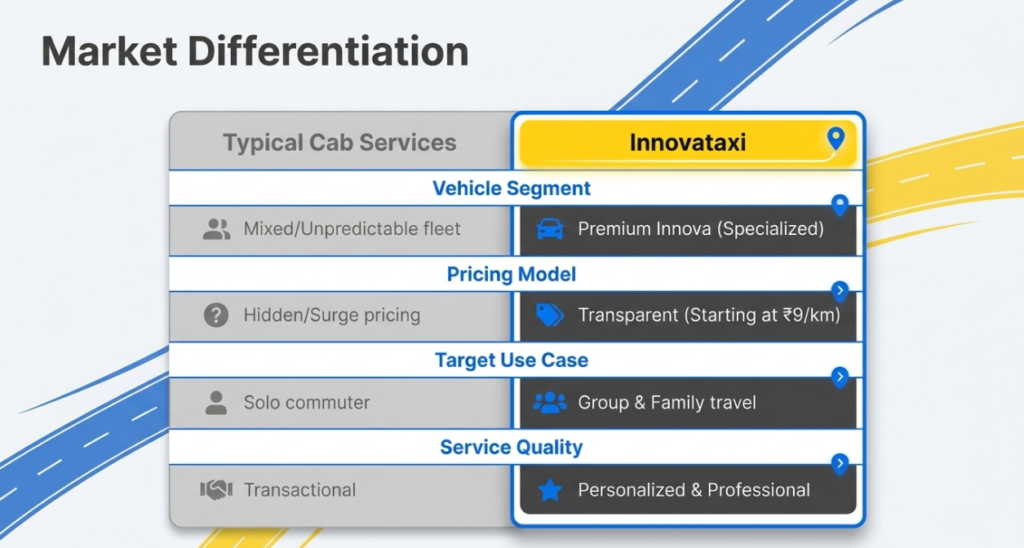
Before you even turn the key or press the start button, run through this quick checklist. It takes less than 30 seconds and saves you from common beginner mistakes.
Pre-Start Checklist
1. Check the Fuel Level Look at the fuel gauge on your instrument cluster. If it’s near the red zone, fill up before driving. Running a diesel car on very low fuel can damage the fuel pump.
2. Engage the Handbrake Make sure the handbrake (parking brake) is pulled up before starting. This is a safety habit and also protects your transmission.
3. Adjust Your Seat and Mirrors Before starting, set your driving position. Adjust the seat so you can comfortably reach the pedals, and align the rear-view and side mirrors. Do this before starting so you can focus on the road once the engine is running.
4. Fasten Your Seatbelt The Innova Crysta will alert you with a chime if you start driving without a seatbelt. Make it a habit to buckle up before turning the engine on.
5. Check Dashboard Warning Lights When you turn the key to the ON position (or press the start button once without the brake), all dashboard lights will illuminate briefly ,this is a normal system check called a “bulb check.” After a few seconds, they should all go off except for any actual warnings. If the check engine light, battery light, or oil pressure light stays on after starting, do not drive – get the car inspected.
Difference Between Petrol and Diesel Starting
The Innova Crysta is most commonly found with a 2.4-litre diesel engine in India, but a petrol variant is also available.
- Diesel (2.4L GD engine): Wait for the glow plug indicator to turn off before cranking. On cold mornings, this can take 3–5 seconds longer than usual.
- Petrol (2.7L naturally aspirated): Starts immediately. No glow plug waiting time needed. Simply turn to START or press the button.
How to Start a Toyota with a Start Button? (Push-Button Start)
If your Innova Crysta is a VX or ZX variant, it comes with a Smart Key System and an ENGINE START/STOP button on the dashboard. Here’s how to use it.
Step-by-Step: Push-Button Start
Step 1 – Have the Smart Key with You The smart key must be inside the vehicle (in your pocket, bag, or on the seat beside you). The car communicates with the key wirelessly via a short-range signal. You don’t need to take it out.
Step 2 – Enter the Vehicle and Close the Door Sit in the driver’s seat and close the door. The car detects the key’s presence automatically.
Step 3 -Press and Hold the Brake Pedal Press the brake pedal firmly with your foot. This is a safety requirement , the engine will not start unless the brake is pressed.
Step 4 – Press the ENGINE START/STOP Button Press the button located on the dashboard (usually to the right of the steering wheel). The engine will start immediately.
Step 5 – Confirm the Engine is Running You’ll hear the engine idle, the tachometer needle will move off zero, and the ENGINE ON indicator will show in the instrument cluster. You’re ready to drive.
Switching to ACC Mode (Without Starting)
If you want to power only the accessories (music, windows, air conditioning) without starting the engine, press the ENGINE START/STOP button once without pressing the brake pedal. Press again to switch to full ignition ON mode. Press a third time (with brake) to start.
How to Turn Off the Engine
Simply press the ENGINE START/STOP button once while the car is in Park (automatic) or Neutral (manual). The engine shuts off immediately.
How to Start Keyless Innova? (Smart Entry System)
The top-spec Toyota Innova Crysta ZX comes with Smart Entry, which is a step beyond the regular push-button system. Here’s what makes it different and how to use it.
What is Smart Entry?
With Smart Entry, you don’t need to press any button on the key fob to unlock the car. As long as the smart key is within approximately 70–80 cm of the door handle, you can unlock the car simply by touching the door handle. The car recognises the key’s proximity and unlocks automatically.
How to Start a Keyless Innova , Step by Step
Step 1 – Approach the Vehicle Walk up to the driver’s door with the smart key in your pocket or bag. You don’t need to take it out.
Step 2 – Touch the Door Handle Lightly touch or pull the door handle. You’ll hear a soft click as the doors unlock automatically. No button pressing required.
Step 3 – Sit Down and Press the Brake Enter the vehicle, sit in the driver’s seat, and press the brake pedal firmly.
Step 4 -Press ENGINE START/STOP Press the start button once. The engine fires up. That’s it.
Step 5 – To Lock and Leave When you exit the car and walk away, simply press the small button on the outside of the door handle to lock all doors automatically. No need to use the key fob.
What If the Smart Key Battery is Low?
If the smart key battery is running low, the Innova Crysta will show a warning on the dashboard that says “Smart Key Battery Low.” In this case:
- To unlock: Use the physical backup key hidden inside the smart key fob. Slide the release switch on the back of the fob to extract the metal key blade and use it to manually unlock the driver’s door.
- To start: Hold the smart key fob directly against the ENGINE START/STOP button (there is a built-in antenna behind the button for this exact situation) and press the button with your foot on the brake. The car will detect the fob at very close range and start normally.
Replace the CR2032 battery in the smart key as soon as you can. It’s available at any electronics shop or Toyota service centre for a small cost.
Why Is My Innova Not Starting? Common Causes and Fixes
This is one of the most searched questions by Innova owners. If your Toyota Innova Crysta refuses to start, here are the most common reasons and what you can do about it.
Cause 1 – Dead or Weak Battery
Symptoms: You hear a clicking sound when you turn the key or press the start button, or the dashboard lights are very dim. The engine cranks slowly or not at all.
Fix: Jump-start the vehicle using jumper cables and another car, or a portable jump starter. Once running, drive for at least 20–30 minutes to allow the alternator to recharge the battery. If the battery keeps dying, it needs to be replaced. Car batteries typically last 2–4 years.
Cause 2 – Fuel is Empty or Fuel System Issue
Symptoms: Engine cranks normally but doesn’t fire up. No smoke from the exhaust.
Fix: Check the fuel gauge. If empty, refuel. If the gauge shows fuel but the car won’t start, the fuel pump or fuel filter may be clogged. This needs a mechanic.
Cause 3 – Smart Key Out of Range or Battery Dead
Symptoms: The “Key Not Detected” warning appears on the dashboard. The start button doesn’t respond.
Fix: Hold the smart key fob directly against the ENGINE START/STOP button and press with brake held. If this works, replace the key fob battery immediately.
Cause 4 – Gear Not in Park or Neutral
Symptoms: Pressing the start button does nothing. No crank, no sound.
Fix: Make sure the gear selector is fully in P (Park) for automatics. For manuals, ensure the gear is in Neutral. This is one of the most common beginner mistakes.
Cause 5 – Steering Wheel Lock (Key Not Turning)
Symptoms: The key won’t turn in the ignition – it feels completely stuck.
Fix: This is the steering column lock engaging. It happens when the steering wheel is turned after the engine is switched off. To release it, gently wiggle the steering wheel left and right while simultaneously turning the key. The lock will disengage and the key will turn normally.
Cause 6 – Immobilizer Activated
Symptoms: The engine cranks but immediately dies. A small car with a key icon flashes on the dashboard.
Fix: The car’s immobilizer is not recognising the key. This can happen if you’re using an aftermarket or duplicate key, or if the immobilizer system has a fault. Try the spare key. If that doesn’t work, contact a Toyota service centre.
Cause 7 – Faulty Starter Motor or Alternator
Symptoms: A single loud click when you try to start, followed by nothing. Or the engine starts but the battery warning light comes on immediately after.
Fix: This typically means the starter motor has failed (single click) or the alternator isn’t charging (battery light). These are mechanical failures that require a workshop visit.
| Problem | DIY Fix? | Go to Mechanic? |
|---|---|---|
| Dead battery | Yes (jump start) | If recurring |
| Empty fuel | Yes | No |
| Smart key battery | Yes (replace CR2032) | No |
| Gear not in Park | Yes | No |
| Steering lock | Yes (wiggle + turn) | No |
| Immobilizer fault | Try spare key | Yes, if persists |
| Starter motor failure | No | Yes |
How Do I Start My Toyota with My Key? (Key Fob and Physical Key Guide)
Understanding Your Toyota Key Fob
Even if your Innova Crysta has a smart entry system, your key fob has physical buttons. Here’s what each button does:
- Lock button (padlock icon): Locks all doors. Press once to lock, the hazard lights will flash once to confirm.
- Unlock button (open padlock): Unlocks all doors. Press once to unlock the driver’s door, press twice quickly to unlock all doors.
- Boot/Trunk button (some variants): Opens the tailgate remotely. Hold for 2 seconds.
- Panic button (alarm icon): Triggers the horn alarm. Useful in emergencies or if you’ve lost your car in a parking lot.
The Hidden Backup Key Inside the Smart Fob
Every Toyota Innova Crysta smart key contains a physical metal key blade hidden inside. To access it:
- Locate the small slide switch or release button on the back of the fob
- Press and slide it to release the metal key blade
- Use it to manually unlock the driver’s door via the keyhole (usually behind a small cover on the door handle)
This is your emergency backup for when the smart key battery is dead or the fob is damaged.
Key is Not Turning in the Ignition – Quick Fix
If your physical key won’t rotate in the ignition barrel:
- Don’t force it – you risk snapping the key
- Gently turn the steering wheel left and right to release the steering lock
- While doing so, apply gentle turning pressure on the key
- The key will turn once the steering lock clicks free
Frequently Asked Questions
How to start a Toyota Crysta? Insert the key into the ignition, press the clutch (manual) or brake (automatic), and turn the key from ACC to ON and then to START. Release the key once the engine fires. For diesel variants, wait for the glow plug light to turn off before cranking.
How do I turn on my Toyota Innova? Run the pre-start checklist – check fuel, engage handbrake, fasten seatbelt – then insert the key and turn to START, or press the ENGINE START/STOP button with your foot on the brake.
How to start a Toyota with a start button? Keep the smart key on your person, sit in the driver’s seat, press the brake pedal firmly, and press the ENGINE START/STOP button once. The engine starts immediately.
How to start a Keyless Innova? Walk up to the car with the smart key in your pocket, touch the door handle to unlock automatically, sit down, press the brake, and press the ENGINE START/STOP button.
Why is my Innova not starting? The most common causes are a dead battery, empty fuel, smart key battery failure, gear not in Park, or the steering column lock engaging. Check each of these in order before calling a mechanic.
How do I start my Toyota with my key? Insert the physical key into the ignition barrel, check the gear is in Neutral or Park, press the clutch or brake, and turn the key through ACC → ON → START. Release when the engine starts.
Conclusion
Starting a Toyota Innova Crysta is straightforward once you understand your specific variant. To summarise:
- Traditional key variants (G, GX): Insert key → check gear → press clutch or brake → turn through ACC → ON → START
- Push-button variants (VX, ZX): Smart key in pocket → press brake → press ENGINE START/STOP button
- Keyless variants (ZX top-spec): Touch door handle to unlock → press brake → press ENGINE START/STOP button
For diesel models, always wait for the glow plug indicator to go off before cranking. If your Innova refuses to start, work through the troubleshooting checklist – most issues are simple fixes you can handle yourself.
Bookmark this page for quick reference, and if you have a question we haven’t covered, drop it in the comments below. We’re happy to help.
Book Your Toyota Innova Crysta – Comfortable Rides Across India
Now that you know everything about starting and operating your Toyota Innova Crysta, why not experience the comfort of this premium MPV on your next trip?
If you are planning a outstation journey, airport transfer, or a family trip and want a well-maintained Toyota Innova Crysta with a professional driver, Innova Taxi has you covered.
Planning a Trip in an Innova Crysta? Let Someone Else Drive!
Now that you know exactly how to start and operate a Toyota Innova Crysta, you might be wondering – what if you could enjoy all that comfort without the hassle of driving yourself?
If you are in Delhi NCR and need a reliable, affordable Innova Crysta for an airport transfer, outstation trip, or local city travel, Innova Taxi is the best choice for you.
Why Book with Innova Taxi?
Innova Taxi Booking is a trusted cab service based in New Delhi, specialising exclusively in Toyota Innova Crysta and premium MPV rides across Delhi, Noida, Gurgaon, Ghaziabad, Faridabad, and Greater Noida.
Here is what makes them stand out:
Affordable Rates Starting at just ₹9/km – One of the most competitive Innova taxi fares in Delhi NCR, with no hidden charges or surprise billing at the end of your trip.
Fleet of Premium Vehicles – Choose from a 6+1 seater Innova Crysta at ₹20/km, a 7+1 seater Innova Crysta at ₹22/km, or the brand-new Innova Hycross at ₹24/km. All vehicles are air-conditioned, clean, and equipped with music systems, ice boxes, and mobile charging points.
Experienced Drivers – Every driver on the platform has 5+ years of experience and knows Delhi NCR routes inside out, so you can sit back and relax.
Roof-Top Luggage Carrier – Perfect for family trips with lots of baggage, especially for hill station journeys like Manali.
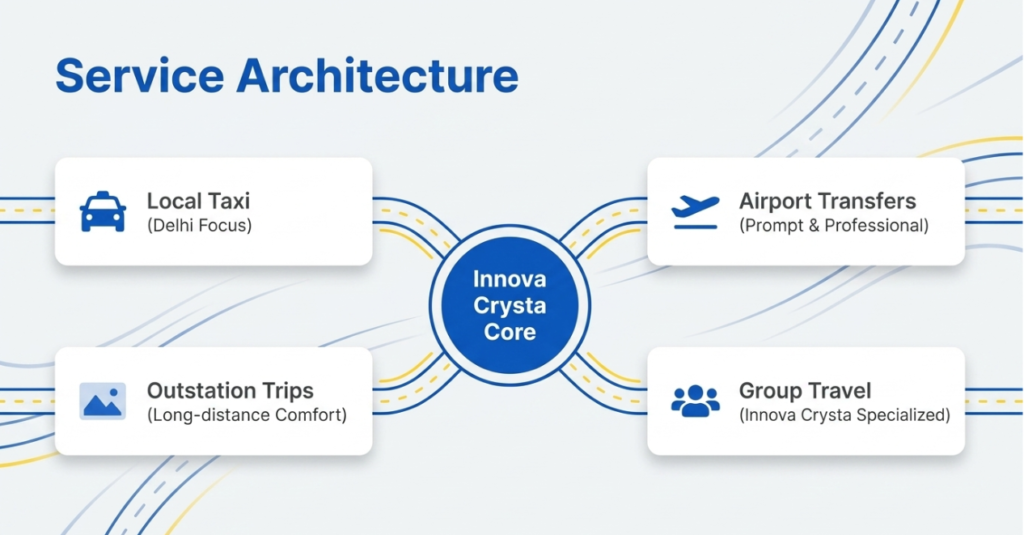
Available for All Trip Types:
- Airport pickup and drop (Delhi Airport, Aerocity)
- Local sightseeing and city travel
- Outstation and long-distance tours
- Family and group travel
- Corporate and business trips
Popular Routes Covered
Innova Taxi covers some of the most popular travel routes from Delhi, including Delhi to Manali, Delhi to Agra, Delhi to Haridwar, Delhi to Jaipur, and all Delhi NCR local routes.
They also offer a dedicated Manali Taxi Package ideal for groups and families looking for a comfortable hill station holiday.
How to Book
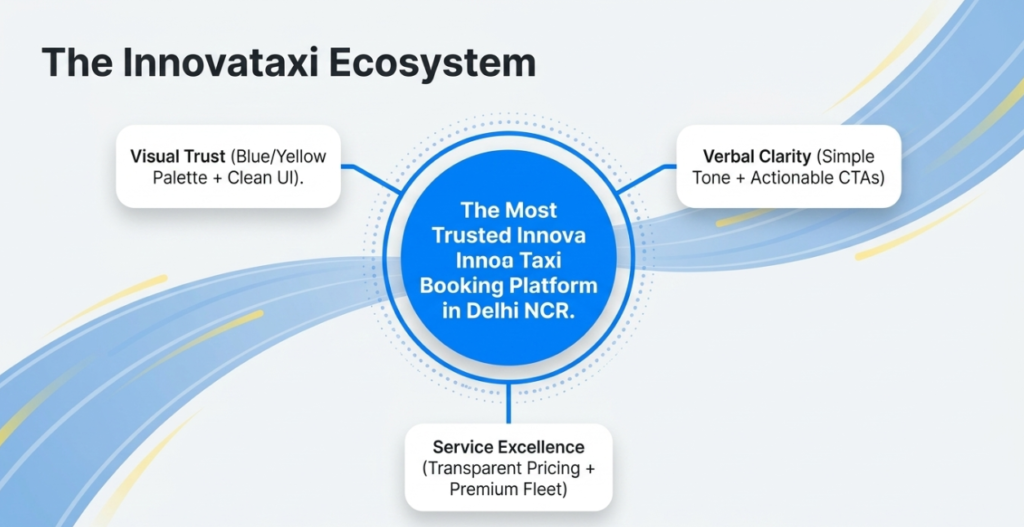
Booking is quick and instant. You can reach Innova Taxi directly:
- Call or WhatsApp: +91 9458290664
- Email: innovataxi23@gmail.com
- Office: 1st Floor, Hanuman Mandir Parking, Near Airport Road, Aerocity, New Delhi – 110037
- Book Online: www.innovataxi.com
Whether you are a first-time Innova rider or a frequent traveller looking for a trusted cab service in Delhi, Innova Taxi delivers comfort, reliability, and great value every single time. Book your ride today and experience the Toyota Innova Crysta the way it was meant to be enjoyed from the passenger seat.